office
1- Office / Cabin
1- Create
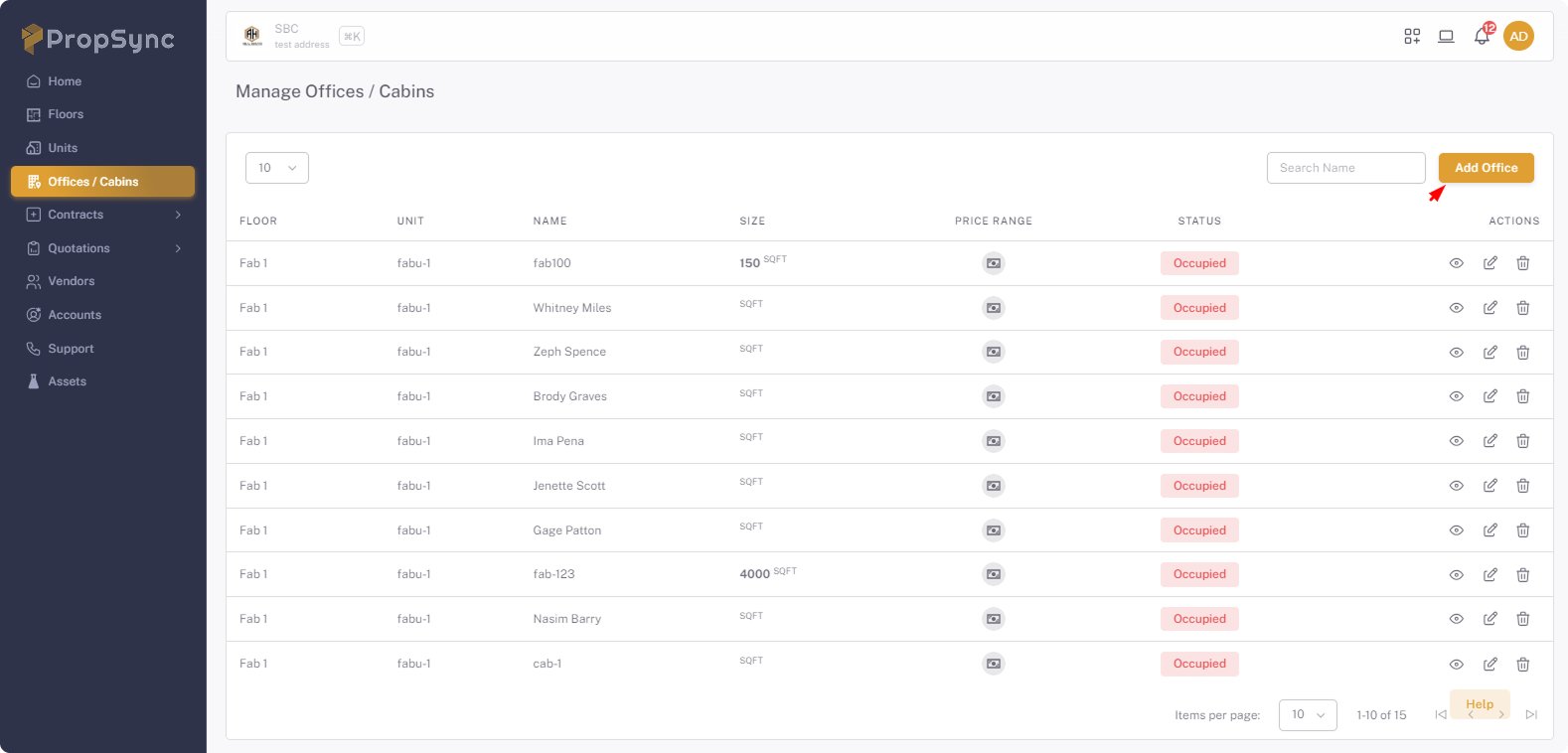
- Click on Add Office button.
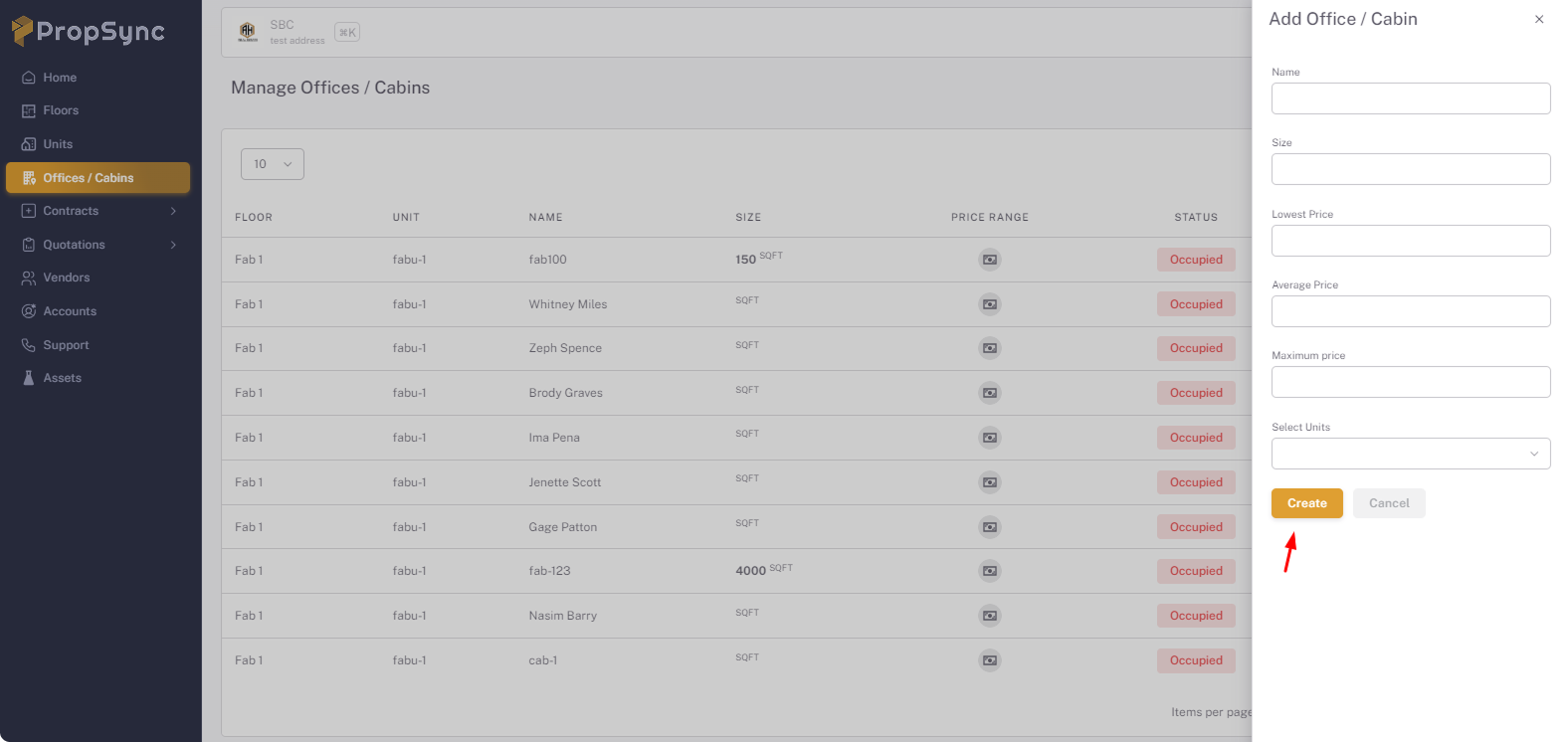
- Enter the information that you want to add.
- Click on the Create button.
2- View and Edit
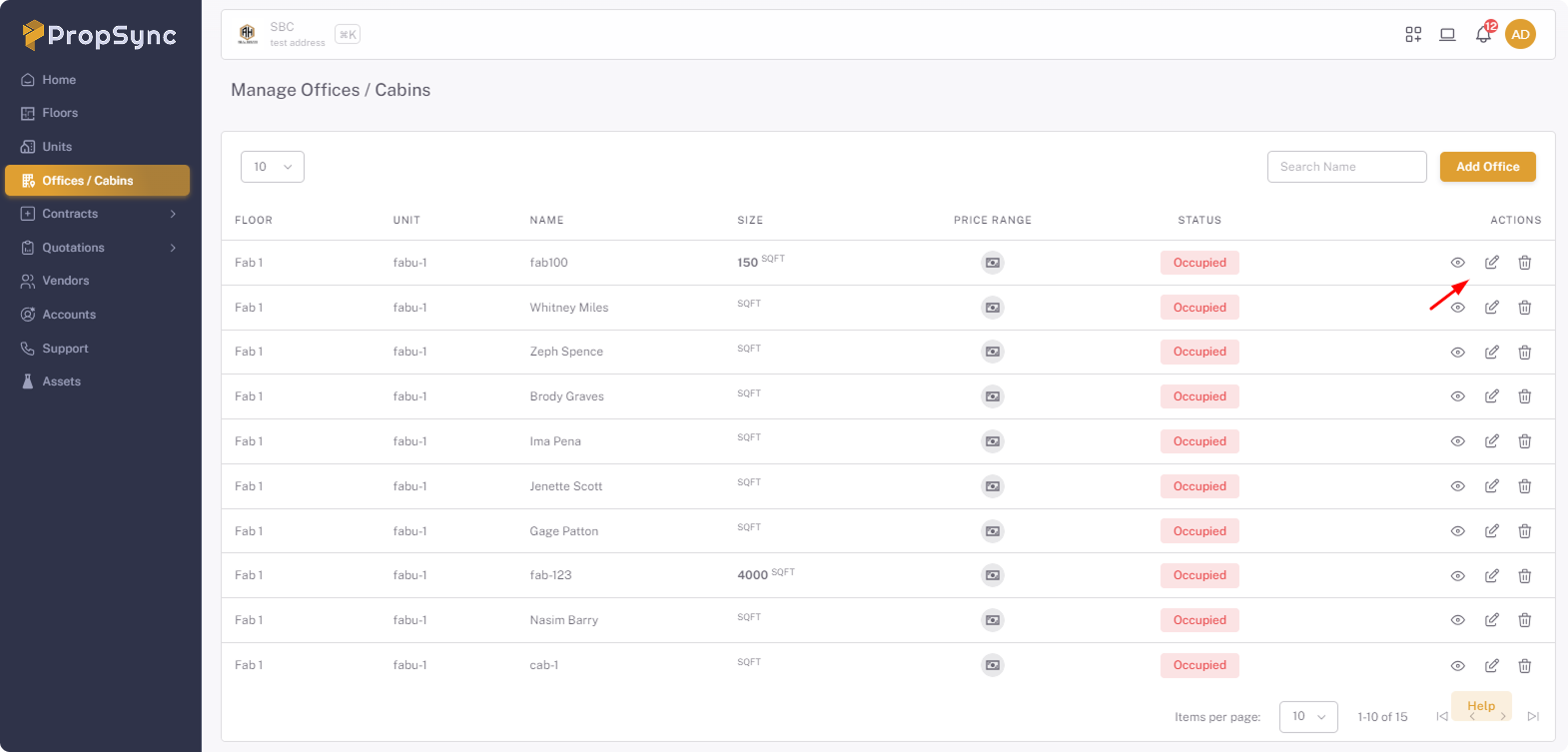
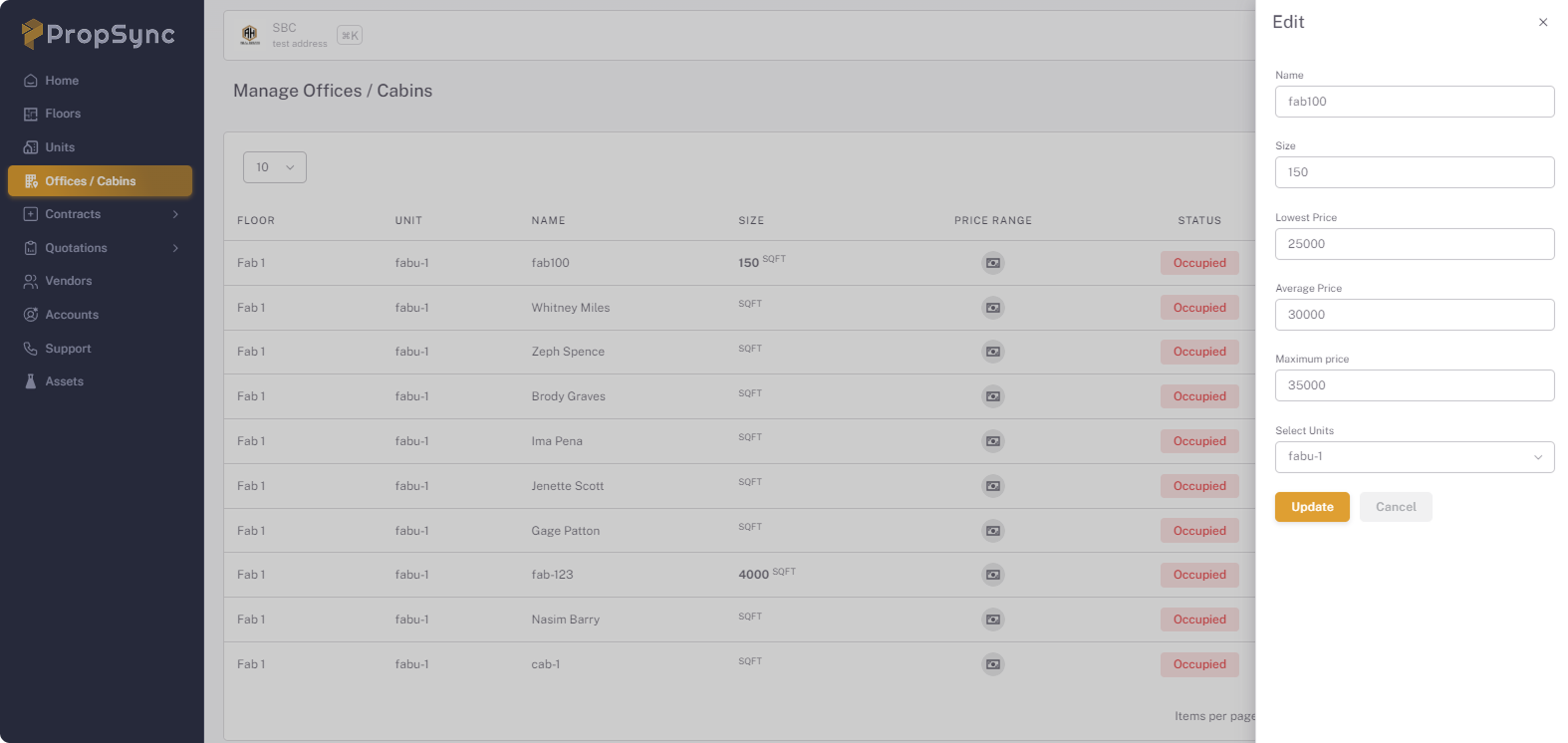
- Click on the Pencil icon.
- After update the information click on the Update button.
3- Delete
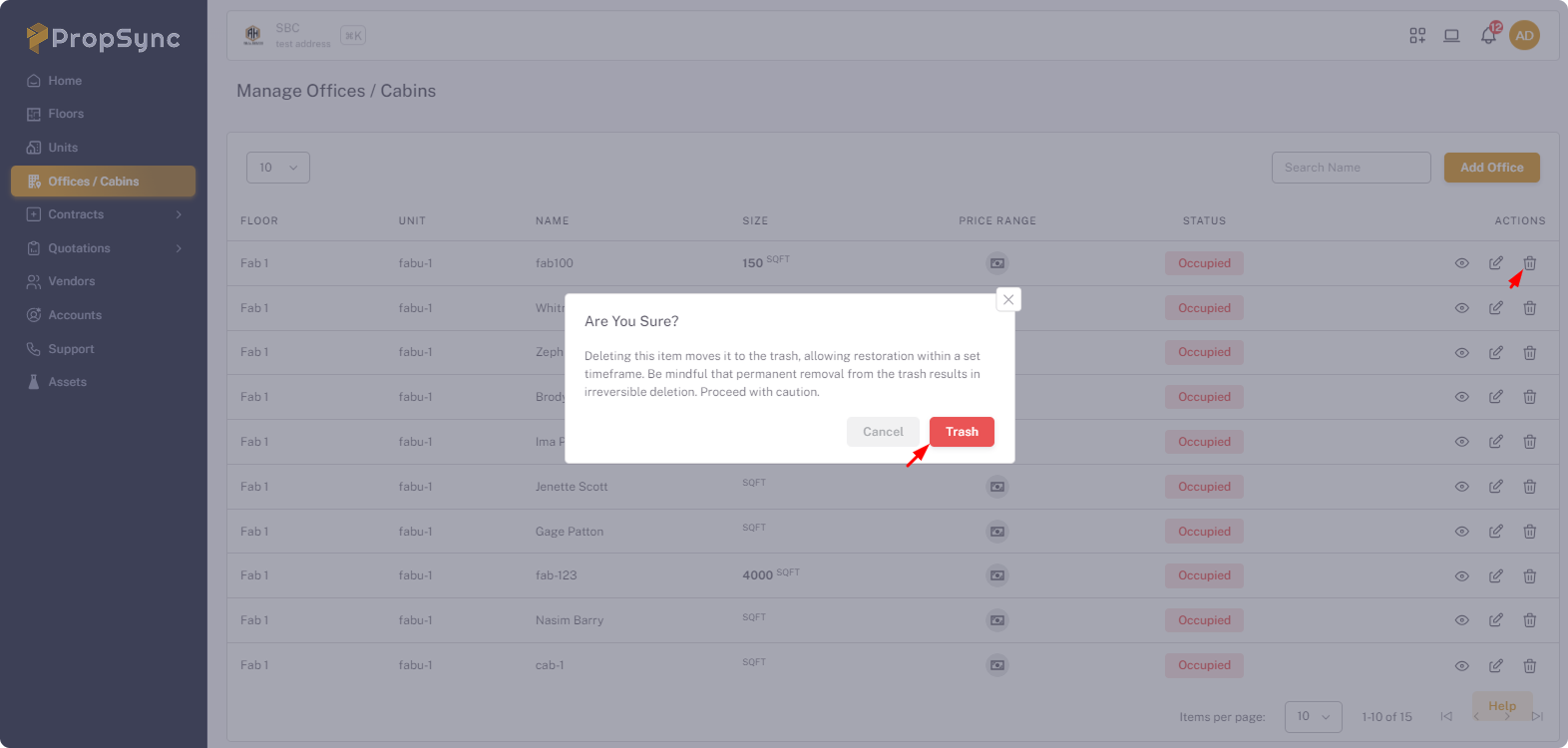
- Click on the Trash icon.
- Click on Trash button.
2- Bulk Offices
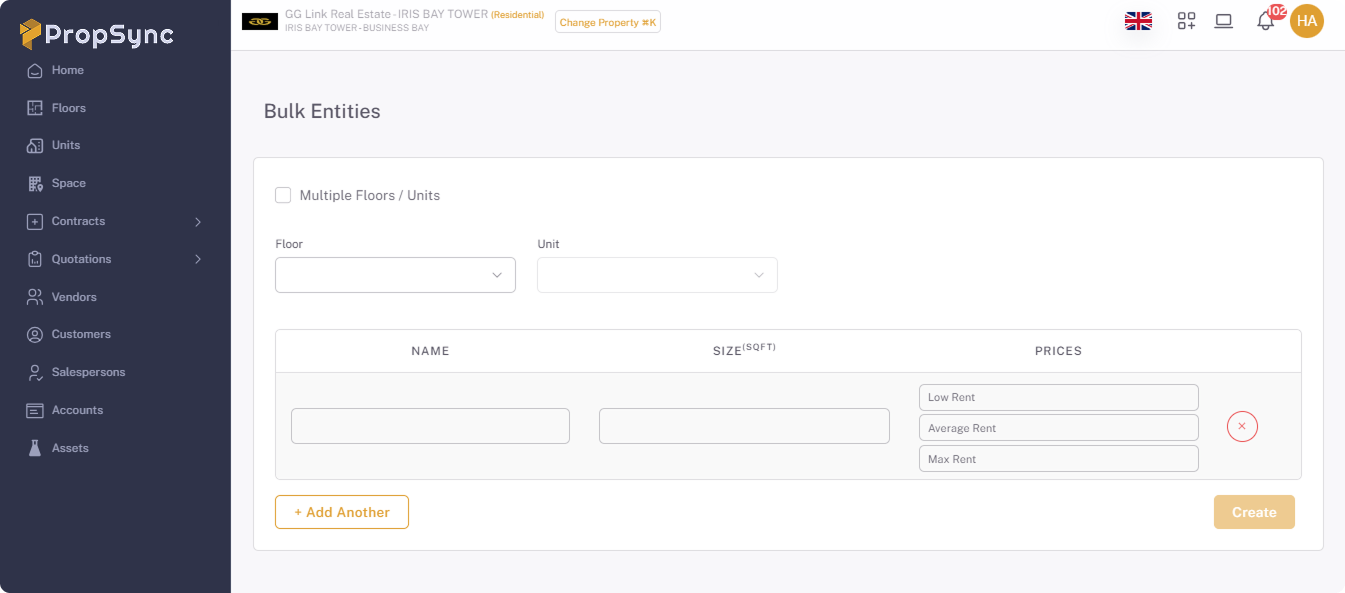
- Click on the Add Bulk Office button.
- Fill the information and click on submit button.